The Modern Green Shift: Smarter Ways to Use Less Paper (Without Breaking Everything)
This post explores practical ways organizations can reduce paper use without sacrificing real-world workflows or operational effectiveness, while providing guidance on responsible printing for situations where print is still necessary.
For many organizations, paper still feels like control — something tangible you can hand off, label, file, or post where people can see it. But in modern operations, relying too heavily on paper often creates friction: slower processes, cluttered workspaces, higher costs, and unnecessary waste. And there is SOOO much of it!
At the same time, going completely paperless isn’t always realistic — and trying to force it can be a world of pain. Hospitals, universities, museums, food service teams, and event operators still rely on physical touchpoints every day: visitor and security badges, food labels, to-go packaging, and essential informational materials.
The real shift isn’t about eliminating paper entirely. It’s about using digital systems where they genuinely improve speed, accuracy, happiness — and using print responsibly where physical solutions still make sense.
That balance is where efficiency, professionalism, and sustainability actually meet.
Big Picture
You can be the person on that streaming show with the pristine desk and office. It’s true. Take a breath, visualize yourself walking through the forest with the warm sun shinging on your back. You come to a clearing and see your desk, it welcomes you and opens it’s drawers, Your breath quickens as that clean, beautiful desk beckons.
Think about it: Paper-free operations save time, reduce clutter, elevate a professional image and encourage weird dreams.
Start small: digitize one process, automate one workflow, train your team once. Each digital habit compounds efficiency—and shrinks your carbon footprint.
Where the Paper Hides, (and How to Replace It)
| Paper Source | Digital Swap | Win |
|---|---|---|
| Invoices | Move to FreshBooks | Instant billing + no mailing costs |
| Contracts | Collect signatures with DocuSign | Legally binding, zero printing |
| Internal updates | Send quick briefs through Slack | Reduces cluttered email threads |
How to Make the Transition – Baby Steps
Start where waste is visible..
If your office is typical, then you don’t need to look far to see paper, piles, scraps, last years Taxes and stuff from before your company was bought out by a company that was bought out two years ago. Set aside some fun-time and review your biggest paper drains—receipts, onboarding packets, contracts. Replace them and you’ll feel lighter and happier. This is one of the Great Universal Truths the Buddha and all the other Deities never shared with us. You’re welcome.
Start where waste is visible.
Review your biggest paper drains—receipts, onboarding packets, contracts. Replace them first.Centralize your storage.
Use a cloud system like Google Drive. Make sure everyone and every department is on the same page with this organization process.Automate routine uploads.
Link email attachments and scanners through Zapier so files land in the right place automatically.Keep receipts effortlessly.
Use a digital receipt system so paperwork doesn’t pile up or disappear..
Smarter Communication = Smaller Footprint
Think of all the paper wasted with event and internal communication. Printed invitations, and the hassle of dealing with that mediocre printer who is friends with the purchaser.. And the schedules, memos, to-do lists, popularity polls, internal hate mail and updates pile up fast. Slack is great for messaging your peers. Using a free online digital invitation maker, you can craft custom, professional invites that look polished and stay paper-free. It’s a quick win for branding, budgets, and sustainability, all in one click. And, should you need a quality, easy to work with Printer? Hmmm….
The One-Month or Possibly One-Year Checklist
● Digitize your three most paper-heavy workflows
● Create shared drives with clear naming conventions
● Assign a “digital champion/Fall Guy” in each department to support adoption
● Replace printed invoices with digital templates in your accounting system
● Capture and organize receipts automatically through your expense app
● Monitor paper-use reduction in your regular team reports
OMG, Seriously?!!! Another Thing to My List- Questions
Q: Is going paperless complicated?
A: Yes, it can be a complete pain in the brain. However, once you and everyone gets over the learning curve it’s like making a cup of coffee in the morning or ordering labels from a printer that you don’t hate.. Start with something low-risk, like your bosses private messages to his mistress. Wait!!! Maybe not that.. Go with staff schedules or expense forms.
Q: How safe is digital storage?
A: Very safe when managed correctly. Most modern platforms use encryption and multi-factor authentication.
Q: What about customers who still want paper copies?
A: First, ask them if they still think coal is the energy of the future. Tell them there are better, easier options like PDF’s and digital downloads. Once clients understand and ‘get’ this, they’ll appreciate this faster, cleaner communication. Perhaps you can introduce them to the concept of Solar.
Q: How do I train my team?
A: In our experience, bribery works quite well - donuts, or chocolate. Explain that the pain is temporary and once they get used to it, they’ll thank you. Then, they’ll be angry with you for taking so long to do this. Baby steps. Keep it short with a few quick how-to sessions. Of course they’ll be resistant to change at first, but if the first steps are relatively easy and you reward them, as you would a little child, with candy they’ll see how this makes life easier,.
The Reality is: There is Still Stuff You Need to Print
(And How to Do It Responsibly)
And with all of the above there is still stuff you gotta print. Labels, badges, wristbands, reports, admissions etc., etc. are must-haves. Wristbands and badges are indispensable. Food containers still need labels. Food services and organizations are moving away from plastic-backed labels and choosing compostable, FSC Certified thermal labels or water-soluble to-go labels that perform during service but don’t create unnecessary waste afterward or have a clear end-of-life destination. Your printer should be able to make this simple and easy to figure out. What if your printer can’t advise you? Hmmm….
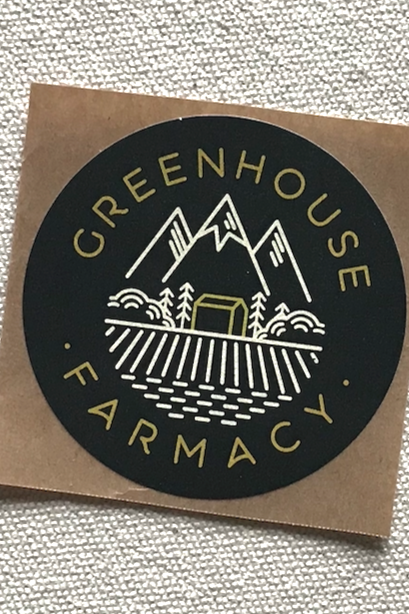
100% Recycled Paper Stickers Courtesy Greenhouse Farmacy
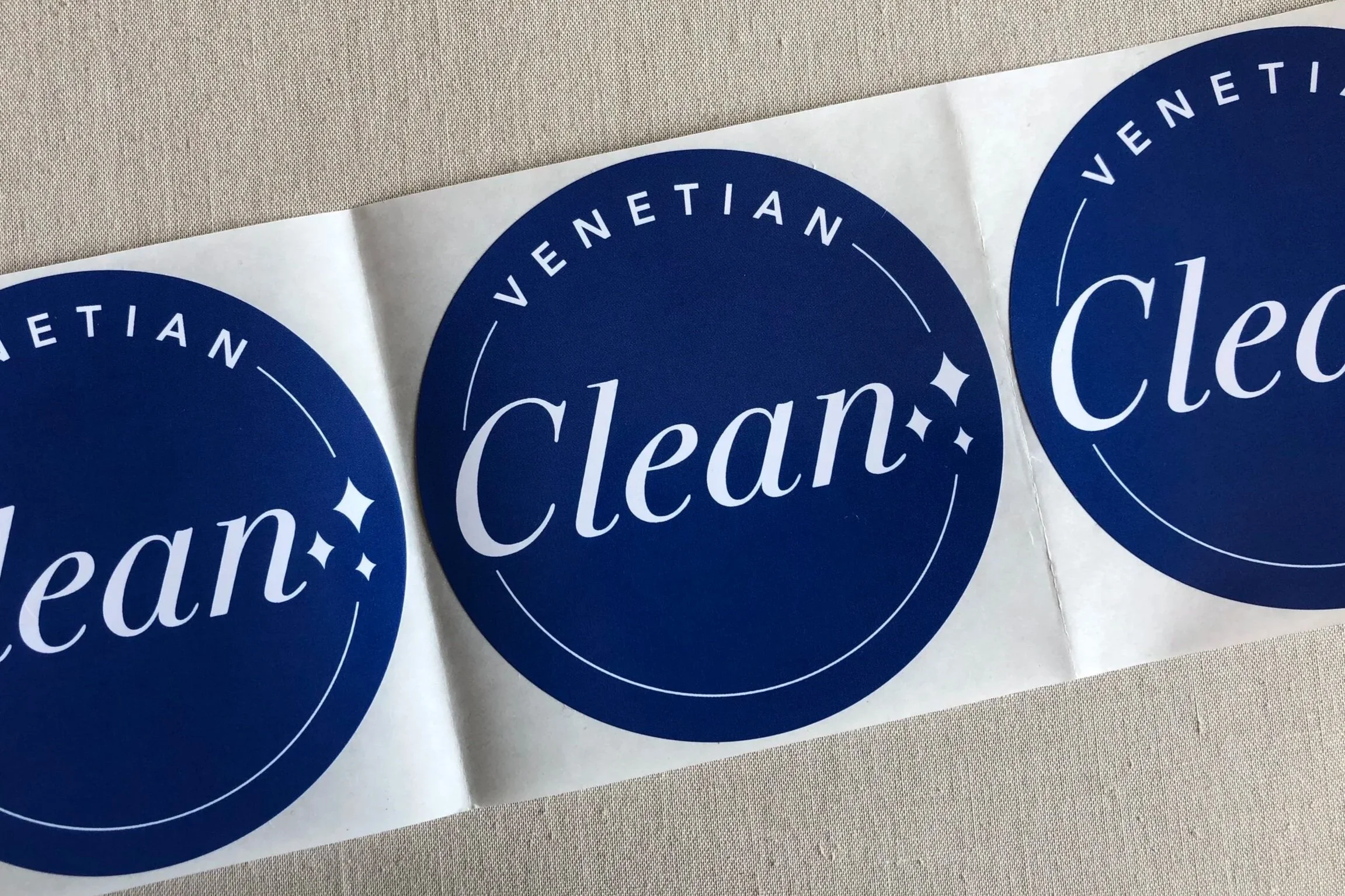
Industrial Compostable Stickers Courtesy The Venetian Hotel, Las Vegas
The Goal Ain’t “no print” — it’s Intentional Print.
Responsible printing focuses on three things:
· Function first — labels and badges need to work reliably during use
· End-of-life impact — materials that don’t stick around until the next century but instead can be easily recycled are Industrial Compostable or Dissolvable in a toilet or dishwasher
Instead of eliminating printed materials outright, which, ain’t ever gonna fully happen, they switch to compostable, recycled, recyclable or water-soluble options for the items that must remain physical. Believe it or not, there’s actually a competent, reliable, printer with great customer service for this.
Plan It Green Printing supports this approach by supplying print designed for real operational environments — food services, admissions, events, and visitor management — where durability during use and responsible disposal matter equally.
The same principle applies to printed media and company collateral like annual reports, books, and event brochures. Many organizations now distribute these digitally by default, but when printed copies are still needed — for boards, compliance, or archival purposes — printing them on 100% recycled paper with vegetable-based inks significantly reduces impact while preserving the professionalism of a finished report and is a great branding message.
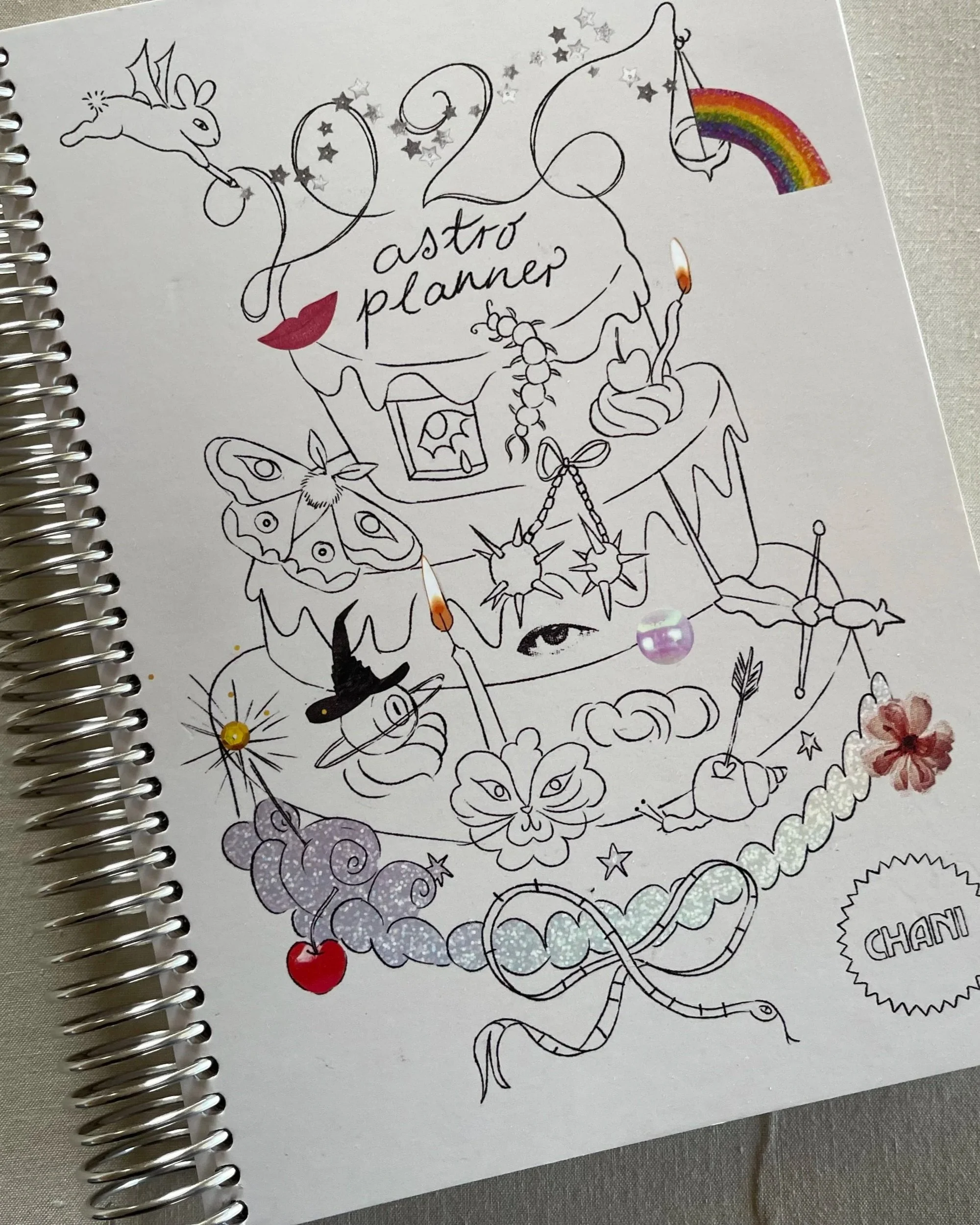
Wire-Bound Book Courtesy Chani Nicholas
A digital-first mindset doesn’t mean breaking up with print. It means choosing printing solutions that align with modern sustainability goals and operational reality. You can have your cake and eat it too.
Conclusion
The process of going paperless is less about the technology and more about mindset. Each process you are able to streamline through digitization sends a message to employees and clients: We value efficiency, clarity and yes, even our good old, big, beautiful planet. With some thoughtful—and yes, sometimes uncomfortable—decisions about where print still makes sense, companies can run lighter without losing the human touch that made them work in the first place.
Written by Joyce Wilson